

Disclosure: As an Amazon Associate, we earn from qualifying purchases.
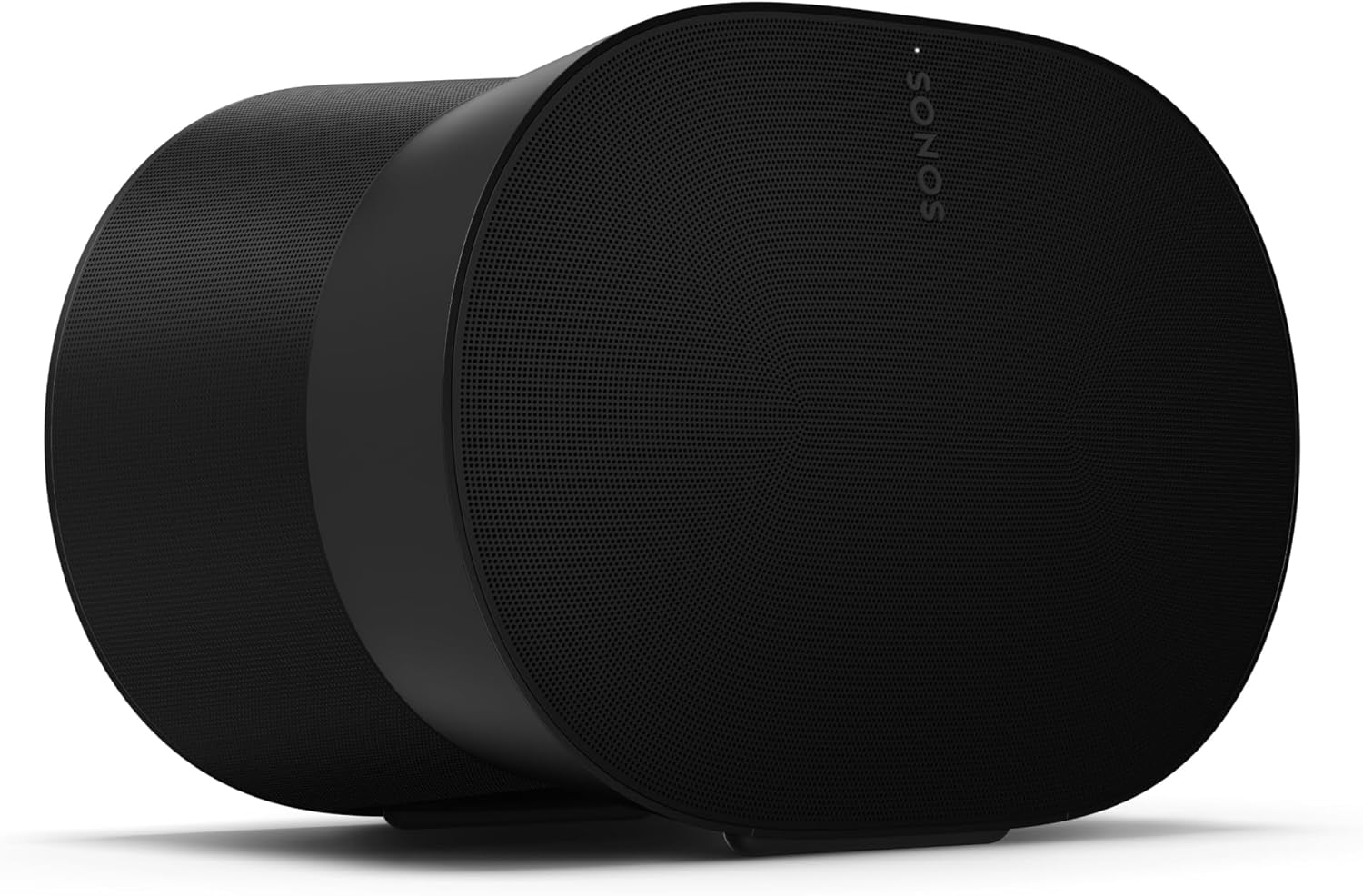
The Sonos Era 300 is Sonos’s $449 spatial-audio flagship — six Class-D amps driving four tweeters and two woofers in an hourglass cabinet, with Dolby Atmos, Bluetooth 5.0, Wi-Fi 6, AirPlay 2, USB-C line-in, and Trueplay that works on both iOS and Android. It’s the most ambitious speaker Sonos makes — and the easiest one to buy wrong. This page tells you exactly where the Era 300 earns its price and where a pair of Era 100s would do better for less.
This is a decision guide, not a spec sheet. We haven’t tested the Era 300 in a listening room — everything below comes from Sonos’s published specifications and documented features. For the smaller sibling, see our Era 100 pair guide.
The quick verdict
Buy it if: you want a single statement music speaker for spatial audio, or you’re building a premium home theater with an Arc Ultra / Arc and want the best possible surrounds.
Skip it if: you need basic surrounds for a Beam Gen 2 — a pair of Era 100s costs less and is the proportionate choice. Or if you want the best music value: two Era 100s in stereo undercut one Era 300.
The specs that matter
| Spec | Era 300 |
|---|---|
| Drivers | 4 tweeters (front, up-firing, 2 side-firing) + 2 woofers |
| Amplification | Six Class-D digital amplifiers |
| Spatial audio | Dolby Atmos (single-speaker spatial audio) |
| Trueplay | iOS and Android — unlike older Sonos gear |
| Connections | Wi-Fi 6, Bluetooth 5.0, AirPlay 2, Spotify Connect, USB-C line-in (adapter) |
| Voice | Sonos Voice Control + Alexa (no Google Assistant) |
| Size | ~10.2″ × 6.3″ × 7.3″ — substantially larger than an Era 100 |
| Surrounds | Works as surrounds with Arc, Arc Ultra, Beam Gen 2, Beam Ultra |
Specs from Sonos’s published documentation and spec aggregators (TechRadar, smarthomesounds.co.uk). The Android Trueplay support is a genuine generational step — older Sonos speakers tune on iOS only.
Who the Era 300 is for
- Spatial-audio music listeners. A single Era 300 playing Atmos music is the showcase use — if you stream Apple Music or Amazon Music Unlimited’s Atmos catalogs, this is the Sonos product built for you.
- Premium home-theater builders. As surrounds with an Arc Ultra or Arc, Era 300s are the top tier — the up-firing tweeters extend the Atmos bubble. Plan the whole system with our room-size planning guide.
- Android households. Android Trueplay on the Era 300 (and Era 100) removes the iOS-only tuning limitation that dogs the Beam Gen 2 and Sub Gen 3.
- Single-speaker upgraders. One Era 300 replaces a stereo pair for many rooms — less clutter than two speakers, with bigger sound than one Era 100.
Who should skip it
- Beam Gen 2 surround buyers. Era 300s as rears behind a Beam Gen 2 is overkill — the bar’s virtualized Atmos can’t match what the surrounds deliver. Two Era 100s are the honest pairing. The compatibility matrix confirms both options work; it doesn’t tell you which is sensible.
- Value-first stereo listeners. A stereo pair of Era 100s typically costs less than one Era 300 and gives you true stereo separation the single 300 can’t.
- Apartment dwellers chasing bass. The Era 300’s big sound doesn’t replace a sub, and deep bass in an apartment is a neighbor decision — see our Sonos for apartments guide.
- Small rooms. The Era 300 is a large speaker that needs room to breathe. In a small bedroom or office, an Era 100 is the proportionate choice.
Three mistakes Era 300 buyers make
- Buying one where two cheaper speakers win. For plain stereo music in a normal room, two Era 100s in a stereo pair usually beat one Era 300 — and cost less. The 300’s edge is spatial audio and surround duty, not raw music value.
- Using it as the centerpiece of a budget theater. A Beam Gen 2 plus Era 300 surrounds is mismatched money — the system is only as good as its weakest link, and here the link is the bar. Match components with our room-size planner.
- Skipping Trueplay. The Era 300 supports Trueplay on both iOS and Android — there’s no excuse not to run it. If tuning fails, our Trueplay troubleshooting guide covers the fixes.
What to pair it with
- Arc Ultra / Arc + Era 300 surrounds: the premium theater stack — add a Sub Gen 3 in large rooms, a Sub Mini in smaller ones.
- A second Era 300: two in stereo is the ultimate Sonos music setup — but price it against the whole system before committing.
- Don’t pair: a lone Era 300 as the only speaker for a TV — it has no HDMI input. TV audio needs a soundbar; the Era 300 plays a supporting role in theater setups. Check the compatibility matrix.
The honest limits of this guide
We have not set up or listened to the Era 300 in a room. This guide synthesizes Sonos’s published specifications and documented features — it is a planning resource, not a review. Era 300 units are also sold as white — the finish changes nothing but the look, exactly like the Beam Gen 2’s two colors.
Check the current price on Amazon →
Frequently asked questions
Era 300 vs two Era 100s — which should I buy?
For stereo music value: the pair, usually for less money. For spatial audio or premium Arc-class surrounds: the Era 300. Different jobs, different winners.
Can the Era 300 be used as surround speakers?
Yes — with Arc, Arc Ultra, Beam Gen 2, and Beam Ultra. It’s overkill behind a Beam Gen 2 but the top choice behind an Arc Ultra.
Does the Era 300 support Trueplay on Android?
Yes — the Era 300 and Era 100 support Trueplay on both iOS and Android, unlike older Sonos soundbars and subs.
Does the Era 300 have Bluetooth and line-in?
Yes — Bluetooth 5.0 and a USB-C port for line-in via an adapter, plus Wi-Fi 6 and AirPlay 2.
Can the Era 300 connect directly to a TV?
No — it has no HDMI input. For TV audio you need a Sonos soundbar; the Era 300 joins as surrounds or as a standalone music speaker.
Disclosure: As an Amazon Associate, we earn from qualifying purchases.
