

Disclosure: As an Amazon Associate, we earn from qualifying purchases.
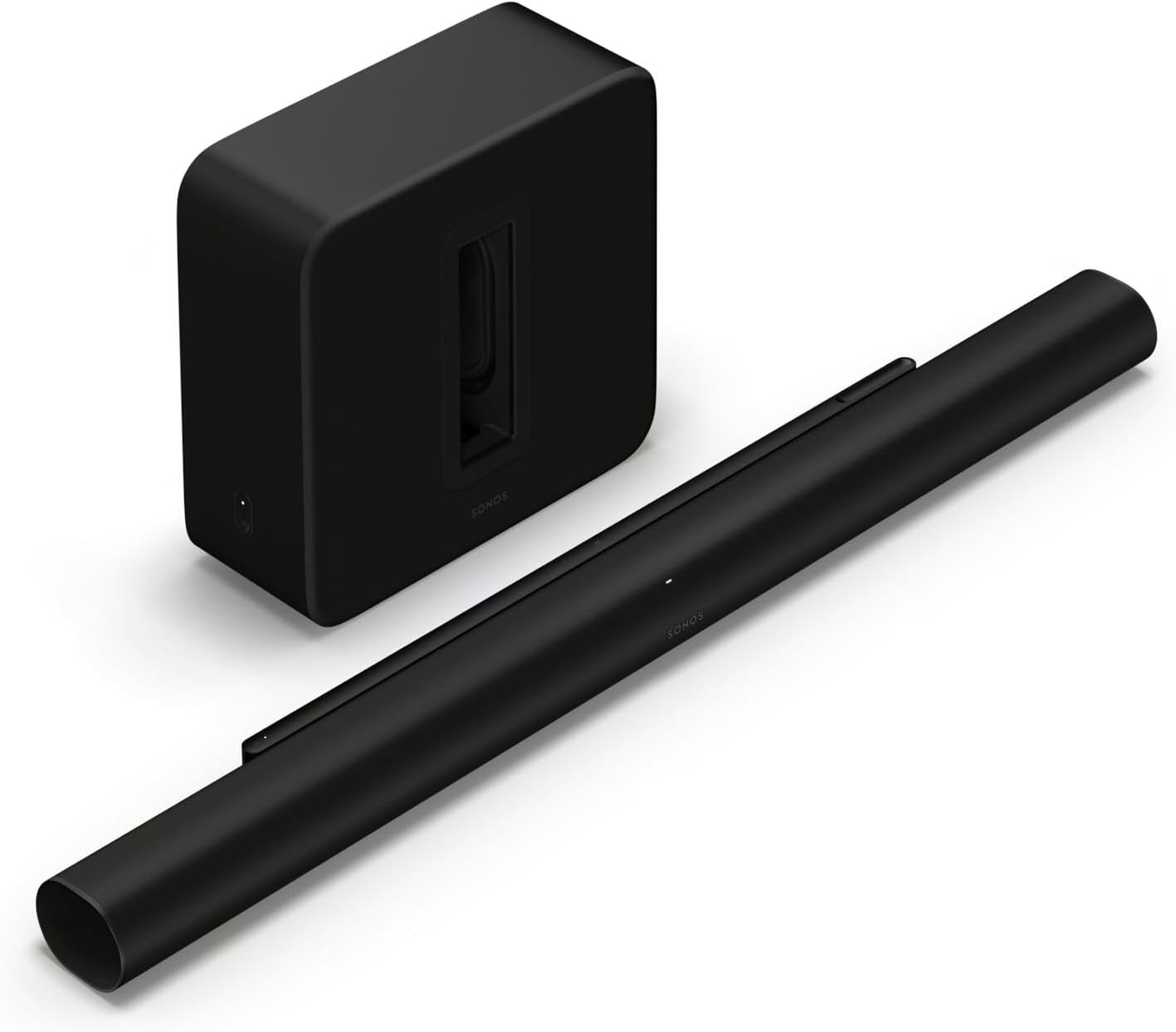
The Sonos Arc Ultra is Sonos’s flagship soundbar — a 9.1.4 Dolby Atmos bar built around 14 drivers and Sonos’s Sound Motion transducer technology, which Sonos says delivers up to twice the bass of the original Arc in a smaller form factor (per Sonos’s launch documentation, reported by Engadget). This page covers the Arc Ultra and its natural partner, the Sub 4.
This is a decision guide, not a spec sheet. We haven’t tested the Arc Ultra in a listening room — everything below comes from Sonos’s published specifications and documented features, plus attributed hands-on coverage. If you want the full three-way trade-off analysis first, read our honest Beam Ultra vs Arc Ultra vs Beam Gen 2 comparison.
The quick verdict
Buy it if: you have a 55″+ TV in a medium-to-large room, watch mostly movies, and want the most capable single-box Sonos system with a clear upgrade path (surrounds, then sub).
Skip it if: your room is small, your budget is tight, or your TV lacks eARC. The Beam Ultra — or a discounted Beam Gen 2 — covers most real-world use for much less.
How it fits the Sonos lineup
The Arc Ultra sits at the top of a three-tier soundbar ladder: Beam Gen 2 (compact, virtualized Atmos, the value pick), Beam Ultra (real Atmos hardware in a compact bar), Arc Ultra (full 9.1.4 flagship). Sonos’s own lineup cannibalizes itself more than the marketing admits — the Beam Ultra at $699 does most of what the Arc Ultra does in rooms under ~25 m², which is exactly why we wrote the honest three-way comparison. The Arc Ultra’s real justification is scale: bigger rooms, bigger TVs, and the endgame system with Era 300s and a Sub 4.
The specs that matter
| Arc Ultra | Sub 4 | |
|---|---|---|
| Configuration | 9.1.4, 14 drivers (7 tweeters, 6 midwoofers, Sound Motion woofer) | Wireless subwoofer, dual force-cancelling woofers |
| Dolby Atmos | Yes — real height channels | N/A (extends the system) |
| Dialogue | Adjustable Speech Enhancement, optimized center channel | N/A |
| Trueplay | Yes — iOS and Android (first Sonos bar with Android Trueplay) | Yes (tunes with the system) |
| Connections | HDMI eARC, Wi-Fi 6, Bluetooth 5.3, AirPlay 2, Spotify Connect | Wi-Fi (pairs wirelessly to the bar) |
| Optical | Via adapter (not included in the box) | N/A |
| Voice | Sonos Voice Control + Alexa (no Google Assistant) | N/A |
Specs from Sonos’s published documentation. Prices change — see our honest comparison for the current price gap between the Ultra, Arc Ultra, and Gen 2.
Who the Arc Ultra is for
- 55-inch-and-up TVs in medium to large rooms. This is the use case the Arc Ultra was built for — the 9.1.4 soundstage needs space to breathe. Check our room-size planning guide to confirm your room qualifies.
- Movie-first households. Real height channels and the Sound Motion bass make this the most cinematic single box Sonos sells.
- Dialogue-clarity seekers. The adjustable Speech Enhancement is the most granular dialogue control Sonos offers — relevant if you’ve ever reached for subtitles on a soundbar.
- Endgame system builders. If your plan is Arc Ultra + Era 300 surrounds + Sub 4 over time, starting with the flagship bar is the right foundation.
Who should skip it
- Small rooms and apartments. The Arc Ultra is overkill under ~20 m² — and its bass will travel through shared walls. Our apartments guide explains why the Beam Gen 2 is the smarter renter pick.
- Budget-conscious buyers. A discounted Beam Gen 2 plus a Sub Mini costs less and covers most real-world use. The honest math is in our Ultra vs Gen 2 upgrade guide.
- TVs without eARC. The Arc Ultra wants HDMI eARC for full Atmos. Optical works only with a separate adapter — check your TV’s ports first (our HDMI-ARC fix guide covers the common handshake issues).
- Bluetooth-first music listeners. It has Bluetooth 5.3, but at this price a dedicated music speaker setup serves better.
What to pair it with
- Sub 4 (this page’s bundle): the natural sub pairing — dual force-cancelling woofers, wireless pairing, and the most advanced sub Sonos sells (per Sonos). The bundle makes sense if you know you want deep bass from day one.
- Sub Mini instead: if your room is medium-sized or you have neighbors, the Sub Mini gives you most of the benefit with less wall-shaking. Our compatibility matrix covers every sub/soundbar combination.
- Era 300 surrounds: the only surrounds that unlock the full Atmos rear-height experience with the Arc Ultra. Era 100s also work and cost less — the trade-off is explained in the planning guide.
- Don’t pair with: Ray-era or Beam Gen 1 gear as surrounds in the same system — check the compatibility matrix before mixing generations.
The honest limits of this guide
We have not set up or listened to the Arc Ultra in a room. This guide synthesizes Sonos’s published specifications, launch documentation, and attributed hands-on coverage from outlets like Engadget — it is a planning resource, not a review. For setup and tuning help, our Trueplay troubleshooting guide covers the most common tuning failures.
Check the current price on Amazon →
Frequently asked questions
Is the Arc Ultra worth it over the Beam Ultra?
Only in medium-to-large rooms with a 55″+ TV. In smaller rooms the audible difference narrows sharply while the price gap doesn’t — see the full analysis in our honest three-way comparison.
Does the Arc Ultra need the Sub 4?
No. Sound Motion gives it the strongest standalone bass of any Sonos bar. The Sub 4 is an upgrade, not a requirement — and in apartments it may be a liability.
Can I use my old Play:1s as surrounds with it?
No — Sonos’s published surround list for the Arc Ultra excludes Play:1/Play:3. Era 300, Era 100, One/One SL, and Amp-driven speakers work. Details in the compatibility matrix.
Arc Ultra or Beam Ultra + Sub Mini for the same money?
In a medium room, the Beam Ultra plus Sub Mini is often the better-sounding system for the money — the sub adds more than the flagship bar’s extra drivers. In a large room with a big TV, the Arc Ultra’s scale wins. Our room-size planner walks through the decision.
Does it work with a non-Sonos TV?
Yes — any TV with HDMI eARC. You just lose brand-specific extras (there are none for non-Samsung/LG/Sony TVs on the Sonos side; the bar is brand-neutral). Our HDMI-ARC fix guide covers handshake issues if you get no sound.
Disclosure: As an Amazon Associate, we earn from qualifying purchases.
