

Disclosure: As an Amazon Associate, we earn from qualifying purchases.
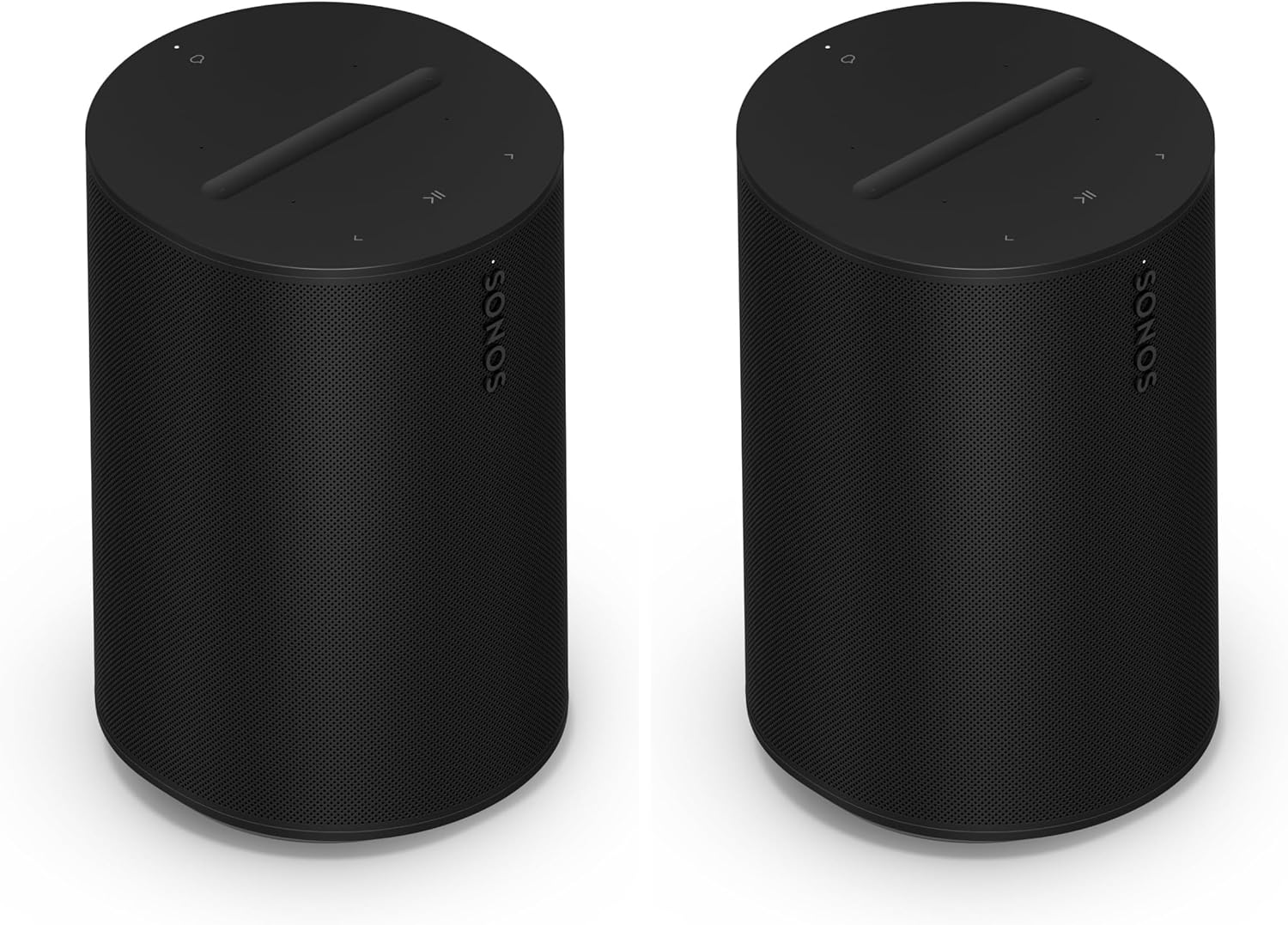
The Sonos Era 100 is Sonos’s $249 (launch price) compact smart speaker — two angled tweeters, one midwoofer, three class-D amplifiers, Trueplay tuning, Bluetooth 5.3, Wi-Fi 6, and AirPlay 2. Sold here as a pair, because a pair is where the Era 100 earns its keep: stereo music separation, or rear surrounds for a Sonos soundbar.
This is a decision guide, not a spec sheet. We haven’t tested the Era 100 in a listening room — everything below comes from Sonos’s published specifications and documented features, plus attributed coverage (TechRadar, hometheaterreview).
The quick verdict
Buy the pair if: you own a compatible Sonos soundbar and want rear surrounds, or you want a proper stereo music setup in one room.
Buy a single if: you just want a good smart speaker for a kitchen, bedroom, or office.
Skip if: your soundbar is a Ray or Beam Gen 1 (incompatible as surrounds), or you need deep bass (get a sub instead).
How it fits the Sonos lineup
The Era 100 is the workhorse of the Sonos system: cheap enough to put in every room, capable enough to serve as surrounds, and flexible enough for stereo music. It sits below the Era 300 (which adds real height drivers for Atmos) and above the aging One/One SL line. For most buyers the decision tree is simple: surrounds for a Beam or Arc → Era 100 pair (value) or Era 300 pair (max); music only → one or two Era 100s; bass → Sub Mini first. Our room-size planning guide maps the combinations by room.
The specs that matter
| Spec | Era 100 |
|---|---|
| Drivers | 2 angled tweeters + 1 midwoofer, 3 class-D amps |
| Sound | Stereo from a single unit; wider stage as a stereo pair |
| Trueplay | Yes — full tuning on iOS; Android uses the mic-based quick tune |
| Connections | Wi-Fi 6, Bluetooth 5.3, AirPlay 2, Spotify Connect, USB-C line-in (adapter required) |
| Voice | Alexa + Sonos Voice Control (no Google Assistant) |
| As surrounds | Works with Atmos-capable bars (Beam Ultra, Beam Gen 2, Arc Ultra, Arc) — NOT with Ray or Beam Gen 1 |
| Durability | Humidity resistant (bathroom-safe); not waterproof |
Specs from Sonos’s published documentation and attributed spec coverage. The surround-compatibility rule is the one that catches buyers out — it’s documented in our compatibility matrix.
Who the Era 100 pair is for
- Soundbar owners adding surrounds. Two Era 100s as rears is the best dollar-for-dollar home-theater upgrade in the Sonos lineup — no drilling, no neighbor risk, and they double as a music stereo pair. Our apartments guide calls this the top apartment upgrade.
- Stereo music listeners. A paired set gives genuine left/right separation that a single smart speaker can’t.
- Multi-room builders. Compact, affordable per-room, and every room gets voice control and AirPlay 2.
- Kitchen/bathroom listeners. Humidity resistance makes them safer bets than most smart speakers in damp rooms.
Who should skip it
- Ray or Beam Gen 1 owners wanting surrounds. The Era 100 cannot bond as surrounds with the Ray or the Beam Gen 1 — Sonos’s rule, not ours. Check the compatibility matrix before buying.
- Bass seekers. A pair of Era 100s won’t replace a subwoofer. If low end is the goal, put the money toward a Sub Mini instead.
- Google Assistant households. No Google Assistant on the Era 100 — Alexa and Sonos Voice Control only.
- Atmos-rear perfectionists. With the Arc Ultra, the Era 300’s dedicated height drivers give a fuller Atmos rear stage. The Era 100s are the value play, the 300s the max play.
Era 100 vs Era 100 SL — which one?
Sonos sells a mic-free Era 100 SL variant (no voice assistants, slightly cheaper). For surround duty or a bedroom stereo pair where you’ll never use voice control, the SL is the rational buy — but note the trade-off: without microphones, Android users lose the mic-based Trueplay quick tune entirely, and iPhone users keep full Trueplay on either model (per TechRadar’s SL review). If there’s any chance you’ll want Alexa or Sonos Voice Control later, buy the standard Era 100.
What to pair it with
- As surrounds: Beam Ultra, Beam Gen 2, Arc Ultra, or Arc — all accept Era 100s as rears. Pair with a Sub Mini or Sub Gen 3 for the full system.
- As a stereo pair: works standalone for music; add any Sonos speaker in other rooms for multi-room.
- Don’t pair with: the Ray or Beam Gen 1 as a home-theater set — incompatible as surrounds.
The honest limits of this guide
We have not set up or listened to the Era 100 in a room. This guide synthesizes Sonos’s published specifications and documented features — it is a planning resource, not a review.
Check the current price on Amazon →
Frequently asked questions
Can two Era 100s work as TV surrounds?
Yes — with an Atmos-capable Sonos soundbar (Beam Ultra, Beam Gen 2, Arc, Arc Ultra). Not with the Ray or Beam Gen 1.
Era 100 or Era 300 as surrounds?
Era 100s are the value pick and the apartment pick. Era 300s add real height drivers for a fuller Atmos rear stage — worth it mainly with the Arc Ultra in a larger room.
Do I need the pair, or is one enough?
One is a fine smart speaker. The pair is for stereo separation or surround duty — buy the pair only if you have one of those two jobs in mind.
Will they work with my Beam Gen 2?
Yes — the Beam Gen 2 accepts Era 100s as surrounds, and it’s one of the best upgrades you can make to that bar. See our Beam Gen 2 decision guide for the full pairing picture.
Can I use them outdoors?
They’re humidity resistant, not waterproof — a covered patio in dry weather is the limit. For real outdoor use you want a portable like the Move 2.
Disclosure: As an Amazon Associate, we earn from qualifying purchases.
