

Disclosure: As an Amazon Associate, we earn from qualifying purchases.
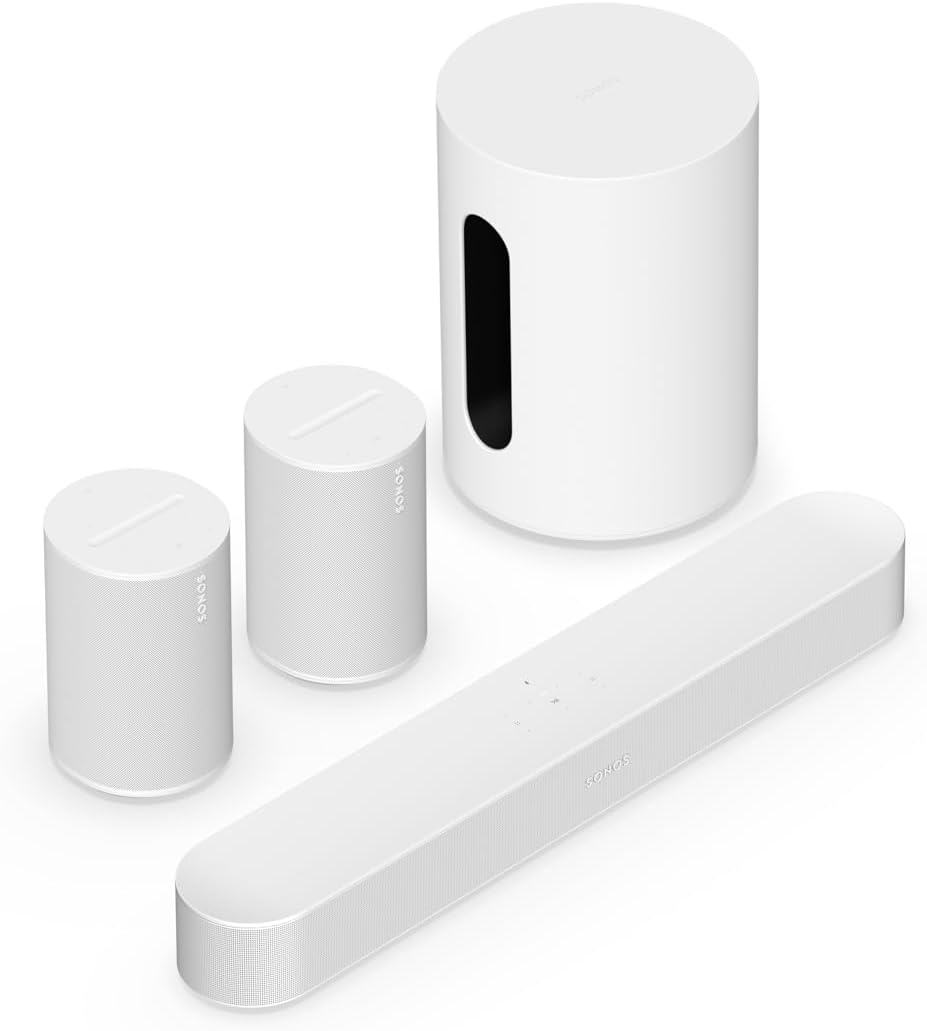
The Beam Gen 2 + Sub Mini + Era 100 pair bundle is the complete Sonos 5.1 home theater in a single purchase: the $499 Beam Gen 2 soundbar, the $499 Sub Mini wireless subwoofer (dual 6-inch force-cancelling woofers, 60W RMS, bass to 25Hz), and a $499 pair of Era 100s as rear surrounds. At roughly $1,500 in individual list prices, this is the “buy once, done” path to a full surround system — no upgrade ladder, no second purchase.
This is a decision guide, not a spec sheet. We haven’t tested this bundle in a listening room — everything below comes from Sonos’s published specifications and documented features. The central question this page answers: buy the whole system now, or build it in stages?
The quick verdict
Buy the full bundle if: you know you want a complete 5.1 Sonos system, you have a small-to-medium room, and the bundle price is meaningfully below the three parts bought separately.
Skip it if: you’re unsure about surrounds (start with the Beam + Sub Mini bundle and add the Era 100s later), your room is large (you need a bigger bar), or you’re in an apartment where a subwoofer may not be neighbor-compatible.
What the bundle actually is
Three products, one purchase: the Beam Gen 2 (3.0 channels, virtualized Atmos, HDMI eARC), the Sub Mini (the small-room sub), and two Era 100s configured as rear surrounds — 2 angled tweeters and a midwoofer each, Wi-Fi 6, Bluetooth 5.0, AirPlay 2. Together they’re a true 5.1 system: left/center/right from the bar, bass from the sub, surround effects from the Era 100s behind you. Setup runs through the Sonos app, and Trueplay tunes the whole system to your room (iOS device required for the tuning step).
The specs that matter
| Spec | Beam Gen 2 | Sub Mini | Era 100 (each) |
|---|---|---|---|
| Role | 3.0 soundbar (L/C/R) | Wireless sub (.1) | Rear surround |
| Drivers | 5 (4 woofers, 1 tweeter) | Dual 6″ force-cancelling woofers | 2 angled tweeters, 1 midwoofer |
| Bass | Virtualized Atmos, limited low-end | Down to 25Hz, 60W RMS | Full-range surround |
| Connections | HDMI eARC, optical, Wi-Fi, AirPlay 2 | Wi-Fi (Sonos app) | Wi-Fi 6, Bluetooth 5.0, AirPlay 2, USB-C line-in (adapter) |
| Trueplay | iOS only | iOS only | iOS or built-in mics (Android) |
| Voice | Sonos Voice Control + Alexa | Controlled through system | Alexa + Sonos Voice Control (no Google Assistant) |
Specs from Sonos’s published documentation and retailer spec tables (Best Buy, TechRadar). Era 100 list price $249 each ($499/pair); bundle pricing moves — check the current price at the link below.
Who the full bundle is for
- Buyers who want the finished system, not a project. No upgrade ladder, no “phase two.” One delivery, one setup afternoon, done.
- Small-to-medium rooms with a 43–55″ TV. This system is sized for bedrooms, dens, and living rooms — confirm with the room-size planner.
- Movie and sports watchers. The surrounds are what make crowd noise, rain, and flyovers feel real — the difference between 3.1 and 5.1 is the rears, not the bar.
- Discount hunters during sales events. Full-system bundles get the deepest cuts at Black Friday and similar events — that’s when this purchase makes the most sense.
Who should skip it
- Anyone unsure about surrounds. The staged path — bar now, sub later, surrounds last — costs the same over time and lets you confirm each step earns its keep. Start with the 3.1 bundle.
- Large rooms / 65″+ TVs. The Beam Gen 2 can’t carry a big space even with surrounds helping. The honest answer is the Beam Ultra or Arc Ultra as the bar — see our three-way comparison.
- Apartment dwellers with thin walls. A subwoofer plus rear surrounds is the maximum-neighbor-impact configuration. Read our Sonos for apartments guide first — the bar alone, or bar + surrounds without the sub, may be the smarter play.
- Bluetooth-first listeners. The bar and sub have no Bluetooth (the Era 100s do). If you stream from your phone directly to the bar, the Beam Ultra is the better bar.
Bundle vs. building in stages
The bundle’s advantage is price and simplicity; its disadvantage is commitment. Buying in stages — Beam Gen 2 first, Sub Mini second, Era 100s third — lets you stop at 3.0 or 3.1 if that turns out to be enough, and many buyers find it is. The full bundle wins when the discount is real (compare against the three separate prices) and when you’re certain about surrounds. Note the staged path also lets you mix finishes; the bundle locks you to one color.
Three mistakes full-bundle buyers make
- Placing the surrounds too far away. Era 100s work best slightly behind and to the sides of the seating position, roughly ear height — not in the far corners of the room. The Sonos app’s surround setup walks you through it; our app troubleshooting guide covers the common pairing hiccups.
- Skipping Trueplay. With five speakers, room tuning matters more than ever. Borrow an iPhone for ten minutes if you’re Android-only.
- Putting the Sub Mini in a corner “for more bass.” Corner placement exaggerates boom and muddies dialogue. Start near the TV, run Trueplay, adjust in the app.
What to pair it with
Nothing — that’s the point of the full bundle. The only sensible next step is a bigger room, at which point you’d be replacing the bar, not adding to the system. For the complete pairing reference, our compatibility matrix shows every valid Sonos combination.
FAQ
Is the white version different from the black?
No — identical products, different finish. Buy whichever matches your room (or whichever is cheaper).
Can the Era 100s be used as standalone speakers too?
Yes — unpair them from the TV setup in the app and they work as a stereo pair or individual room speakers, with Bluetooth 5.0 and AirPlay 2.
Will this system get real Dolby Atmos?
The Beam Gen 2 renders virtualized Atmos (no up-firing drivers). The surrounds and sub add immersion and bass, not height channels. For true height effects you’d need the Beam Ultra or Arc Ultra.
Can I add a second sub later?
The Beam Gen 2 supports a single sub. If you outgrow the Sub Mini, the upgrade is the full-size Sub (Gen 3) — but at that point you’re likely in a room that wants a bigger bar too.
Do the Era 100s need power outlets?
Yes — each Era 100 needs its own outlet. Plan your rear-speaker placement around outlet locations, not just ideal acoustics.
Check the Current Price on Amazon
Disclosure: As an Amazon Associate, we earn from qualifying purchases.
