

Disclosure: As an Amazon Associate, we earn from qualifying purchases.
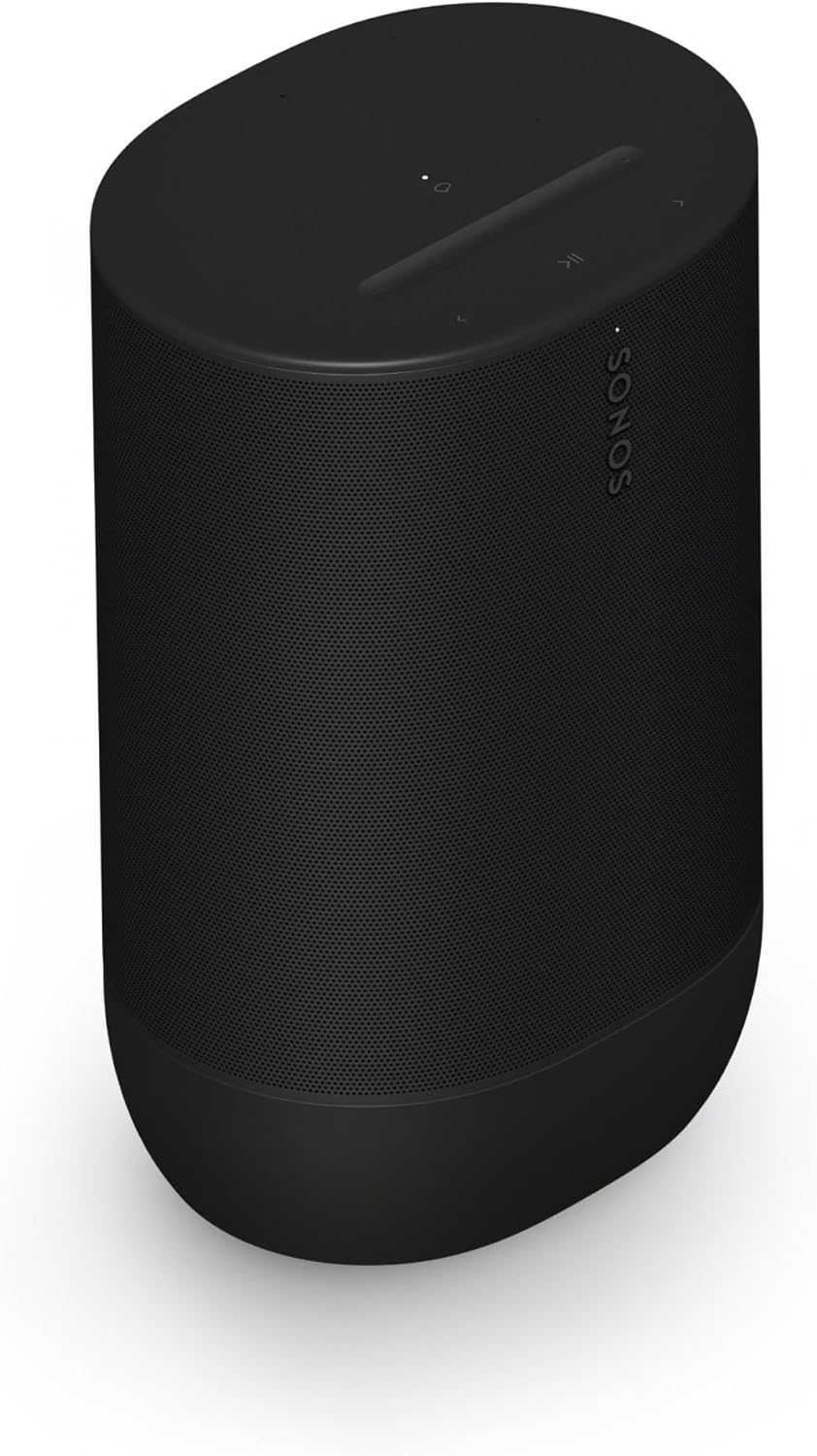
The Sonos Move 2 is the $449 portable speaker that fixes nearly everything about the original Move — and it’s the only Sonos portable that can genuinely anchor a Sonos system. Three Class-D amplifiers drive two angled tweeters and one midwoofer in true stereo, the battery now lasts up to 24 hours (up from 10), and it adds Bluetooth 5.3, Wi-Fi 6, and USB-C line-in to the original’s formula.
This is a decision guide, not a spec sheet. We haven’t tested the Move 2 in a listening room — everything below comes from Sonos’s published specifications and documented features. If you’re choosing between Sonos’s two portables, the short version: the Move 2 is the system speaker; the Roam 2 is the travel speaker.
The quick verdict
Buy it if: you want Sonos sound that leaves the house — backyard, garage, patio — and you want it to stay part of your Sonos system when it comes back inside.
Skip it if: you need something pocketable, or you’ll never use it outside Wi-Fi range. At 6.6 pounds it’s portable, not carry-everywhere.
How it fits the Sonos lineup
The Move 2 sits at the top of Sonos’s portable line, above the $179 Roam 2. The distinction matters: the Move 2 is a full Sonos system member — automatic Trueplay, stereo pairing with a second Move 2, voice control, AirPlay 2, and the ability to group with every other Sonos speaker you own. The Roam 2 does most of that too, but the Move 2’s bigger drivers and stereo architecture make it the one you’d actually choose as a primary music speaker. Our compatibility matrix shows exactly how it integrates with the rest of a system.
The specs that matter
| Spec | Move 2 |
|---|---|
| Price | $449 (Sonos list) |
| Audio | True stereo: 3 Class-D amps, 2 angled tweeters, 1 midwoofer |
| Battery | Up to 24 hours (44Wh); wireless charging base included |
| Durability | IP56 — dust and water resistant; shock-absorbing design |
| Connections | Wi-Fi 6, Bluetooth 5.3, AirPlay 2, USB-C line-in (adapter sold separately) |
| Trueplay | Automatic — retunes itself as you move it (no phone waving required) |
| Voice | Sonos Voice Control + Alexa |
| Weight | ~6.6 lb — backyard-portable, not backpack-portable |
| Colors | Black, White, Olive |
Specs from Sonos’s published documentation and retailer spec tables (Tom’s Guide, 9to5Mac). Prices move; check the current price at the link below.
Who the Move 2 is for
- Backyard and patio listeners. This is the Move 2’s home turf — 24 hours of battery, IP56 weather resistance, and stereo sound that carries outdoors. Nothing else in the Sonos line does this job.
- Sonos households that want one speaker to roam. It groups with your Arc, Beam, or Era speakers over Wi-Fi at home, then switches to Bluetooth at the park. The system planning guide shows where a portable fits in a whole-home setup.
- Garage, workshop, and rental-house listeners. No permanent install, no wiring — set it down, and automatic Trueplay tunes it to the room.
- Stereo-pair planners. Two Move 2s pair over Wi-Fi for true stereo — the most flexible stereo pair Sonos sells, since you can split them up again at will.
Who should skip it
- Travel-light buyers. At 6.6 pounds it’s nearly seven times the Roam 2’s weight. If it needs to fit in a daypack, you want the Roam 2, not this.
- Bluetooth-only users. If you’ll never connect it to Wi-Fi or a Sonos system, you’re paying a premium for ecosystem features you won’t use — a plain Bluetooth speaker costs far less.
- Home-theater builders. The Move 2 can’t act as a TV soundbar or a surround speaker. For TV audio, start with our Beam Gen 2 guide or the room-size planner.
- Budget portable hunters. $449 is flagship money. The Roam 2 delivers the same ecosystem at $179 if you can live with mono sound and a 10-hour battery.
Three mistakes Move 2 buyers make
- Expecting it to replace a soundbar. It won’t connect to your TV as a soundbar, and it can’t join a home-theater group as a surround. It’s a music-first speaker.
- Ignoring the line-in adapter. The USB-C port supports line-in (turntable, etc.), but the adapter is sold separately — budget for it if that’s your plan.
- Leaving it on the charger permanently. The battery is replaceable, but constant 100% charge still ages it. The charging base is convenient; just don’t dock it forever unused.
What to pair it with
The Move 2 is the roaming member of a Sonos system, not the foundation. Pair it with a Beam Gen 2 or Beam Ultra for TV duty, add Era 100s for fixed-room music, and check the compatibility matrix before assuming any two Sonos products group together. If the Move 2 will live mostly in one room, our apartments guide covers placement and neighbor-friendly volume habits.
FAQ
Is the Move 2 worth it over the original Move?
For most buyers, yes — 24-hour battery vs 10, true stereo vs mono, and Wi-Fi 6/Bluetooth 5.3 are generational upgrades. Only buy the original if you find it heavily discounted.
Can two Move 2s play in stereo?
Yes — pair two over Wi-Fi for a true stereo pair, then unpair them whenever you want two roaming speakers again.
Does the Move 2 work with Alexa?
Yes — Amazon Alexa and Sonos Voice Control are built in. Google Assistant is not supported.
Is it really waterproof?
IP56 means dust-protected and resistant to water jets — rain, splashes, and poolside use are fine. It’s not rated for submersion; the Roam 2’s IP67 handles that better.
Can I use it as a computer speaker?
Yes — via Bluetooth, AirPlay 2, or USB-C line-in (adapter sold separately).
Check the Current Price on Amazon
Disclosure: As an Amazon Associate, we earn from qualifying purchases.
